

Download Hold On – Live Crypto Ticker for Windows, Mac & Linux
Overview
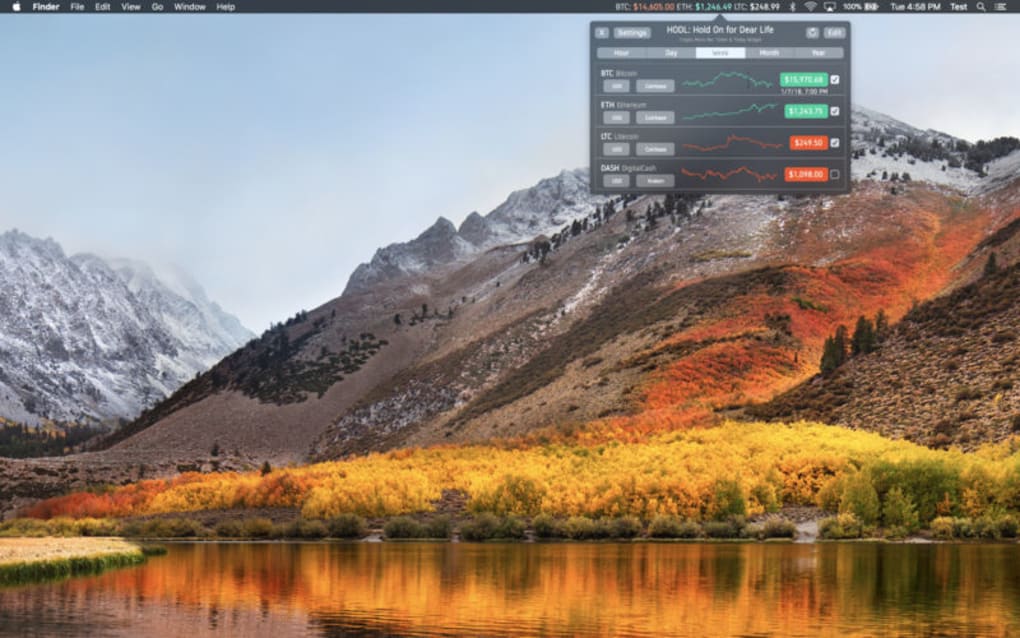
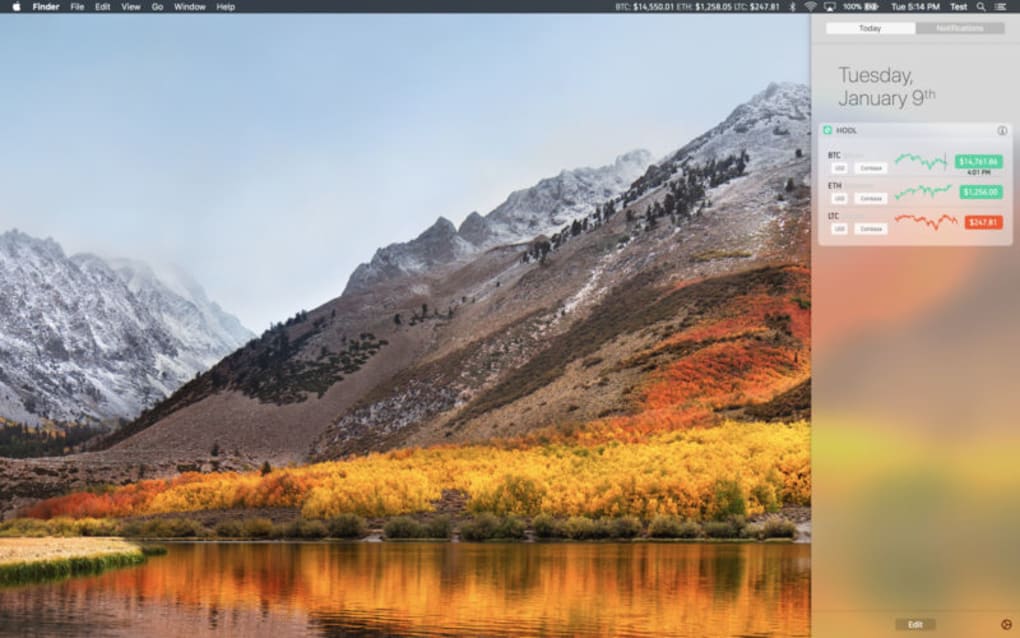
Hold On for Dear Life is a lightweight desktop widget that turns your computer into a real‑time cryptocurrency price board. Instead of opening a browser tab, launching a mobile app, or refreshing an exchange site, you simply type the name or ticker of the coin you own and the widget begins to display the current market price in a compact grey box that you can place anywhere on your desktop. The design is intentionally minimalistic: a single line of text shows the ticker symbol, the latest price, and an optional percentage change, while a small icon indicates whether the market is moving up or down. The widget updates automatically at intervals set by the program, giving you a continuous stream of information that mimics the experience of a traditional stock ticker but tailored for the volatile world of crypto.
Because the tool focuses on a single coin at a time, it is especially useful for investors who hold a primary asset—such as Bitcoin, Ethereum, or a newer token like OmiseGO (OMG). By remembering how many units you purchased, you can quickly calculate the total value of your holding without needing a separate spreadsheet. Hold On also offers a “hide” function, allowing you to keep the ticker out of sight when you’re working on other tasks, and a “pin” option that locks the widget to a fixed screen location.
While the concept is straightforward, the application has attracted both praise and criticism. Users love the convenience of a always‑on price feed, yet many note that the price data can lag behind the exchange rate displayed on major trading platforms. The app does not provide trading capabilities, which reduces risk but also limits functionality for those who wish to execute orders directly from the widget. Security‑wise, the installer is signed and free of known malware, but, as with any third‑party crypto tool, it is essential to download it from the official website to avoid counterfeit versions that could be weaponized by hackers.
Key Features
- Live ticker for any supported cryptocurrency, using ticker symbols or full names.
- Customizable update interval (default every 30 seconds) to balance freshness and bandwidth.
- Compact, resizable widget that can be positioned anywhere on the desktop.
- Hide/Show toggle for distraction‑free work sessions.
- Simple GUI with a single input field for quick coin selection.
- Supports Windows 10/11, macOS 10.15+, and major Linux distributions (Ubuntu, Fedora, etc.).
- Lightweight footprint – under 15 MB download and < 30 MB RAM usage during operation.
- Secure HTTPS connections to reputable price APIs (CoinGecko, CoinMarketCap).
- Automatic error handling: displays a clear message if a coin is not found.
- Open‑source core components for community auditing.
Installation & Usage Guide
Getting Hold On up and running is intentionally simple. First, visit the official website and click the Download button that matches your operating system. The installer is signed, ensuring that Windows SmartScreen, macOS Gatekeeper, or Linux package managers recognize it as a legitimate application. After the download completes, run the installer and follow the on‑screen prompts: accept the license agreement, choose an installation folder (the default works for most users), and let the wizard copy the necessary files.
Once installed, launch the application from your Start menu, Applications folder, or desktop shortcut. The first time you open Hold On, you’ll be greeted with a short welcome screen that explains the input format. Simply type the name of the cryptocurrency (e.g., “Bitcoin”) or its ticker symbol (“BTC”) into the text box and press Enter. If the coin is supported, the widget will instantly appear on your desktop, showing the live price and a small arrow indicating price direction. You can right‑click the widget to access a context menu where you can adjust the refresh interval, change the display font size, or toggle the hide function.
For power users, the settings file (a plain JSON document) can be edited manually to add custom API endpoints or to enable experimental features such as multi‑coin mode (currently in beta). The application also offers a “reset” button in the menu, which clears all saved preferences and returns the widget to its default state—useful if you encounter any hiccups after a system update.
Because Hold On does not store any private keys or wallet information, it is safe to run alongside your trading platforms. However, always keep the software updated; the developer releases patches every few weeks to improve price latency and to incorporate new coins as they appear on major exchanges.
Compatibility, Pros & Cons
Hold On has been built with cross‑platform compatibility in mind. The Windows version supports both 64‑bit and 32‑bit architectures, running smoothly on Windows 10 and Windows 11. macOS users can install a signed .dmg package that works on macOS 10.15 Catalina and later, including Apple Silicon devices thanks to Rosetta 2 translation when needed. Linux users receive a .deb or .rpm package that integrates with the system’s package manager, making installation and updates as simple as running sudo apt install holdon or sudo dnf install holdon. The developer has also tested the widget on popular desktop environments like GNOME, KDE, and Xfce, confirming that the UI scales correctly on high‑DPI displays.
Pros
- Instant, at‑a‑glance price information without opening a browser.
- Very low system resource usage, ideal for older machines.
- Secure HTTPS connections to reputable price data sources.
- Easy to hide or reposition, keeping your workspace uncluttered.
- Free core version; optional premium add‑ons for multi‑coin tracking.
Cons
- Price updates are not truly real‑time; a 30‑second lag is typical.
- Only one coin can be displayed in the free version.
- No built‑in trading functionality, so you must use a separate exchange.
- Premium upgrade is relatively pricey compared to similar ticker apps.
- Occasional API downtime can cause the widget to show “N/A” until the next refresh.
Frequently Asked Questions
Is Hold On free to use?
The basic version of Hold On is free and allows you to monitor a single cryptocurrency. A premium upgrade unlocks multi‑coin tracking, custom refresh rates, and priority support, which is sold as a one‑time purchase.
Which price data sources does Hold On use?
Hold On connects to reputable public APIs such as CoinGecko and CoinMarketCap over HTTPS. The developer has built in fallback logic, so if one service is temporarily unavailable, the widget will automatically switch to the other.
Can I trade directly from the widget?
No. Hold On is strictly a price‑display tool. It does not store private keys or integrate with exchanges, which reduces security risk but also means you must place trades on a separate platform.
Is the application safe from malware?
When downloaded from the official website, Hold On is digitally signed and has passed standard antivirus scans. As with any crypto‑related software, avoid third‑party download sites that might bundle unwanted code.
How do I change the cryptocurrency displayed?
Right‑click the widget and select “Change Coin.” Then type the new ticker or full name into the input box and press Enter. The widget will refresh instantly with the new price data.
Conclusion – Should You Download Hold On?
If you spend a lot of time at your desk and need a quick visual cue for your favorite crypto, Hold On offers a clean, low‑impact solution that eliminates the need to juggle browser tabs. Its real strength lies in its simplicity: a single, always‑visible ticker that can be hidden when you don’t need it. While the free version limits you to one coin and the price updates are not millisecond‑perfect, the trade‑off is a lightweight, secure widget that runs on Windows, macOS, and Linux without draining resources.
For casual holders who track Bitcoin, Ethereum, or a single altcoin, the free tier is more than sufficient. Power users who want to monitor several assets at once may find the premium upgrade worthwhile, especially given the added customization options. In any case, always download the installer from the official site, keep the app updated, and remember that Hold On is a monitoring tool—not a trading platform.
Ready to keep an eye on your crypto 24/7? Click the download button below, install the widget, and let Hold On do the heavy lifting while you focus on the market.







